სისტემაში შესვლა
მეილის და პაროლის შეყვანა
საწვავების მართვის სისტემაში შესასვლელად, საწყის გვერდზე დააჭირეთ "შესვლა" ღილაკს, ან გადადით ბმულზე: https://fleet.leansystems.ge/web/login
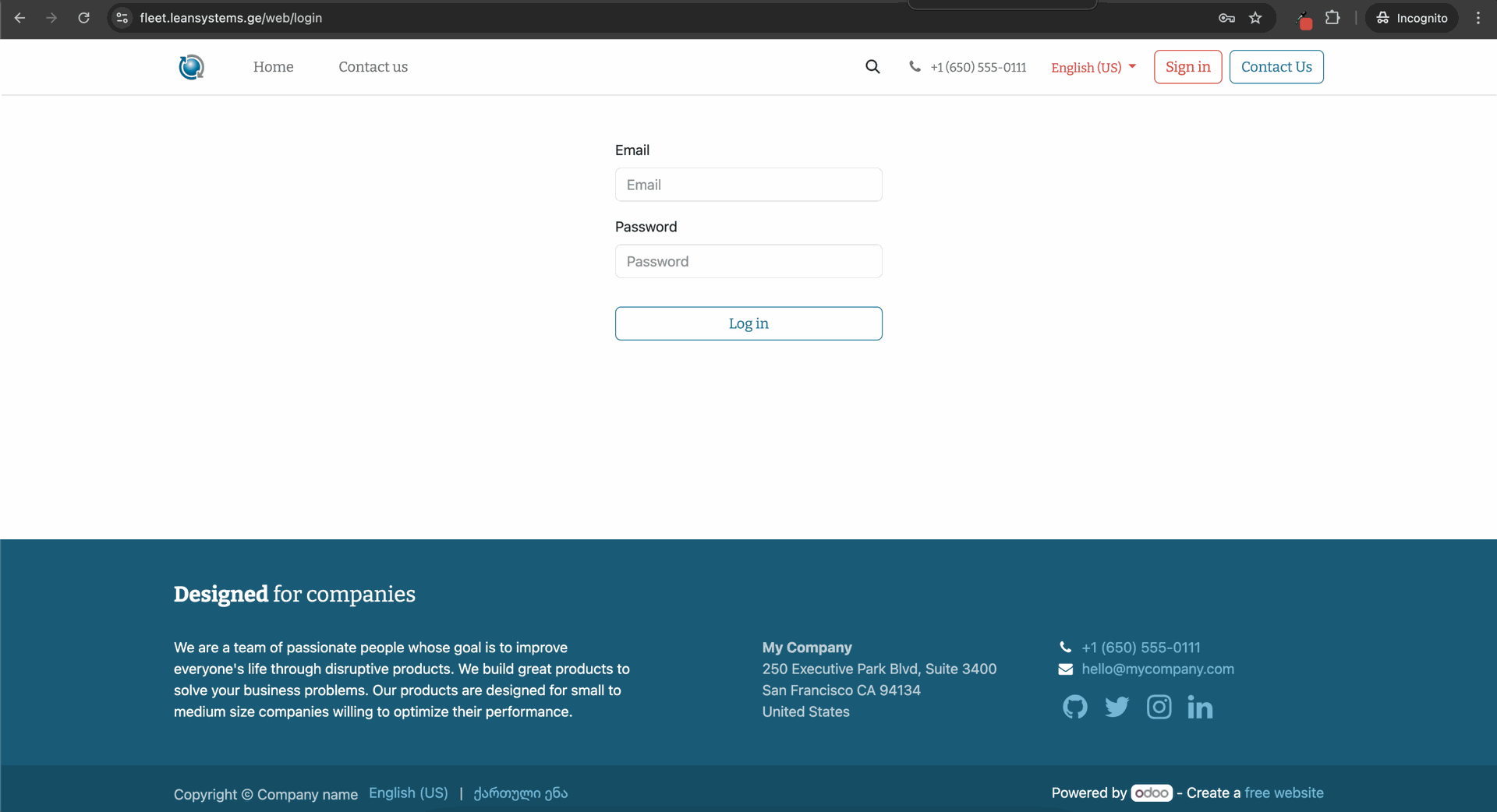
Email ველში ჩაწერეთ თქვენი მეილი. Password ველში მითითეთ თქვენი პაროლი, იგივე რასაც იყენებთ კომპიუტერის ჩართვისას.
Insert text styles like headers, bold, italic, lists, and fonts with a simple WYSIWYG editor. Flexible and easy to use.
თუ დაგავიწყდათ პაროლი
Click and change content directly from the front-end: no complex back end to deal with.
ახალი მომხმარებლის რეგისტრაცია
Create your page from scratch by dragging and dropping pre-made, fully customizable building blocks.
ავტომობილი დამატება
Bootstrap-based templates
Easily design your own Odoo templates thanks to clean HTML structure and bootstrap CSS.
Professional themes
Change theme in a few clicks, and browse through Odoo's catalog of ready-to-use themes available in our app store.
ვიზიტების რეგისტრაცია
Bootstrap-based templates
Easily design your own Odoo templates thanks to clean HTML structure and bootstrap CSS.
Professional themes
Change theme in a few clicks, and browse through Odoo's catalog of ready-to-use themes available in our app store.
ხშირად დასმული შეკითხვები
Bootstrap-based templates
Easily design your own Odoo templates thanks to clean HTML structure and bootstrap CSS.
Professional themes
Change theme in a few clicks, and browse through Odoo's catalog of ready-to-use themes available in our app store.